Blog
Podcast Transcript: Format, Workflow and Review
Author: Hushscript Published: Last reviewed:
Speech recognition drafts a podcast transcript in the background, in a fraction of the episode length. What you publish depends on a chain of decisions after that: how accurate the draft needs to be, who cleans it up, how the speakers get named, what format the transcript ends up in, and how much of that you are willing to repeat every week. Get the chain right once and a podcast transcript costs a few minutes an episode. Get it wrong and every episode turns into an editing session nobody scheduled.
This page covers the format and the full workflow. For the quick steps on a single episode, see how to transcribe a podcast to text.
Why make a podcast transcript
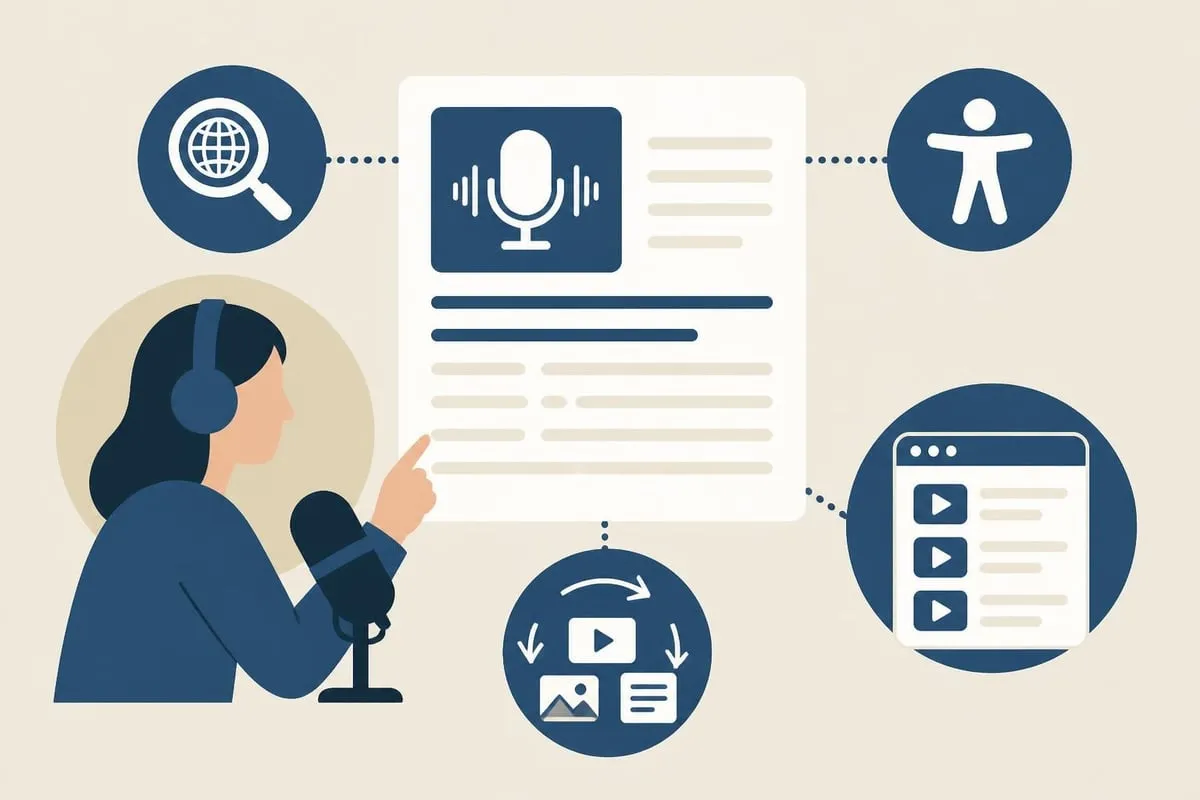
Search engines index text, not audio. A transcript is what lets someone find your episode by a topic, a guest’s name, or a half-remembered line, and that matters more the moment your back catalog grows past the point where anyone browses it.
Accessibility is the other half of it. Deaf and hard-of-hearing listeners need the text, and so do non-native speakers, people listening somewhere loud, and anyone who reads faster than you talk. Section 508’s guidance on captions and transcripts treats a transcript as the equivalent alternative for audio-only content, and it expects a human pass over the automated draft rather than a raw machine dump.
A clean transcript is also raw material:
- Blog posts built out of a segment that ran long
- Social quotes with the exact wording
- Newsletter summaries
- Show notes and chapter markers
- Translations for listeners who read a language better than they hear it
And it is an archive. Two years later you can search your own episodes for the number you cited, the story you want to revisit, or the guest comment you can only half recall.
What speech recognition gets right, and what it does not
Automatic recognition is good enough to publish from and not good enough to publish unread. A study measuring the accuracy of automatic speech recognition solutions across eleven services found accuracy varies widely between vendors and degrades further in streaming use, which is a useful corrective to the idea that machine transcription is one fixed quality level.
Quality depends mostly on the recording, not on the tool. Clean audio with little crosstalk beats a live event with room noise. A solo host reads better than a four-way debate. Everyday conversation transcribes more cleanly than an hour of drug names, case citations, or product jargon.
| What affects the draft | How much | What you can do about it |
|---|---|---|
| Audio quality | A lot | Record somewhere quiet, on a real microphone |
| People talking over each other | A lot | Agree on turn-taking, cut the worst crosstalk before uploading |
| Accents and dialects | Some | Choose a service with strong multilingual models |
| Specialist vocabulary | Some | Load names and terms into a dictionary before the run |
| Speaking pace | A little | Normal speech is fine; only very rapid speech degrades |
Accents and disfluency handling are the two places a generic model gives up ground fastest. If your show runs international guests, budget review time rather than assuming the draft is clean. Hushscript lets you save a dictionary of names, brands, and recurring jargon and apply it before transcription, which is the cheapest accuracy you can buy.
Speaker labels and where they slip
Diarization separates voices automatically and gets a two-person interview right nearly all of the time. It slips when two guests sound alike, when people laugh over each other, and when a long pause makes one voice look like two.
Labels come back generic, and renaming one instance renames it everywhere, so a two-hander takes about a minute to name and a four-person panel takes a few. Hushscript includes speaker labels free on every transcript, with no per-speaker fee and no cap on voices. For the mechanics underneath, see how speaker diarization works.
Picking how to generate the transcript
Manual. You or a hired transcriptionist type every word. Slowest, most expensive, most reliable on difficult audio. It earns its cost on legal and medical records where one wrong word is a real problem, and almost never on a podcast.
Hybrid. Machine draft, human review. This is where nearly every show should land. The machine does the typing and you do the judgment: fixing homophones, restoring a dropped negative, correcting the guest’s company name, deciding how much filler to leave in.
Raw automated. Upload, download, publish. Fine for internal reference or a rough episode index. Risky as public text, because the errors that survive are the plausible-looking ones.
Most shows end up mixing the last two: a full review pass on the episodes they promote, and an unreviewed transcript on the rest of the archive.
Pay per use or subscription
A subscription is predictable and bills you through the months you do not publish. Pay-as-you-go bills only when you transcribe, which fits a seasonal show, an irregular schedule, or a summer off.
Work the cost out per episode rather than per month. If you publish weekly, a subscription can come out cheaper. If you publish when you feel like it, prepaid minute packs let you buy capacity up front with no plan attached. Minutes never expire.
Building the workflow
The core workflow, start to finish:
- Record and prepare clean audio: cut the setup chatter and long silences, and export MP3, M4A, or WAV, or let a video’s audio track get extracted automatically.
- Upload the file and let speech recognition produce the draft, with speakers separated automatically.
- Review the draft against the audio, fixing homophones, dropped negatives, and mangled proper nouns.
- Decide clean verbatim or true verbatim, and format the text for wherever it’s going next: show notes, a standalone transcript page, or timed captions.
- Check guest expectations and any rights tied to the recording, then publish.
Before you upload
Start from clean audio. Cut the long silences, the false starts, and the setup chatter before the interview really begins. Less audio means less text to read and fewer irrelevant passages to delete later.
Export MP3, M4A, or WAV. Video works too, and Hushscript pulls the audio track out in your browser so the video file never uploads, but an audio export is quicker to hand over if you already have one. Mix multi-track sessions down first unless you specifically want each track transcribed separately.
Name the files the same way every time:
- The recording date, so the folder sorts chronologically
- The episode number
- The guest name or the topic
- A version marker, if more than one cut exists
For example: 2026-06-18-e047-jordan-chen-final.mp3. Trivial while you have four episodes, and the difference between finding and not finding something once you have two hundred.
Reviewing the draft
Read the transcript with the audio playing. Errors that look wrong on the page are the easy ones. The dangerous errors read perfectly and say the opposite of what was said: homophones, dropped negatives, and mangled proper nouns are the three that get published.
Errors cluster, so read where they gather and skim the rest. Intros and outros carry names, titles, and spoken URLs. Technical stretches carry jargon and figures. Crosstalk and laughter produce garbage that usually wants deleting rather than repairing.
Check the labels while you are in there. Confirm the right voices were split apart, replace the generic labels with real names, and merge any speaker that got broken into two after a long pause.
Then decide how literal the text should be. Clean verbatim vs true verbatim covers the trade: true verbatim keeps every um and false start, clean verbatim strips them and tidies the grammar. Most podcasts want the second. Your audience does not need every verbal tic, and your guests will quietly thank you.
Podcast transcript format for readers
A wall of plain text is searchable and unreadable. Give it structure:
- Timestamps at topic changes, or on a fixed interval
- Speaker names set in bold ahead of each turn
- Paragraph breaks where the conversation actually turns
- Headings for the distinct segments of the episode
Then format for the destination. Show notes want headings and bullets; the step-by-step how-to shows the DOCX export for them. A standalone transcript page wants a short intro and a link to the player. Captions want a timed format such as SRT or VTT.
Rights, guests, and what you publish
A transcript is a derivative of the recording, so whatever restrictions apply to the recording tend to follow it. If an episode carries licensed music, clips, or third-party audio, check what the license actually covers before you publish the text of it.
Settle guest expectations in the release rather than afterwards. Some guests reasonably want to see the transcript before publication, particularly when they speak in an official capacity or on a sensitive subject. Agreeing on that up front is much faster than negotiating it once the page is live.
And a published transcript is permanent, public, and quotable in a way audio is not. If an episode wanders into unpublished research, client detail, or numbers you have not announced, review it before it goes up, redact the passage, or keep that episode’s transcript to yourself.
Multilingual episodes
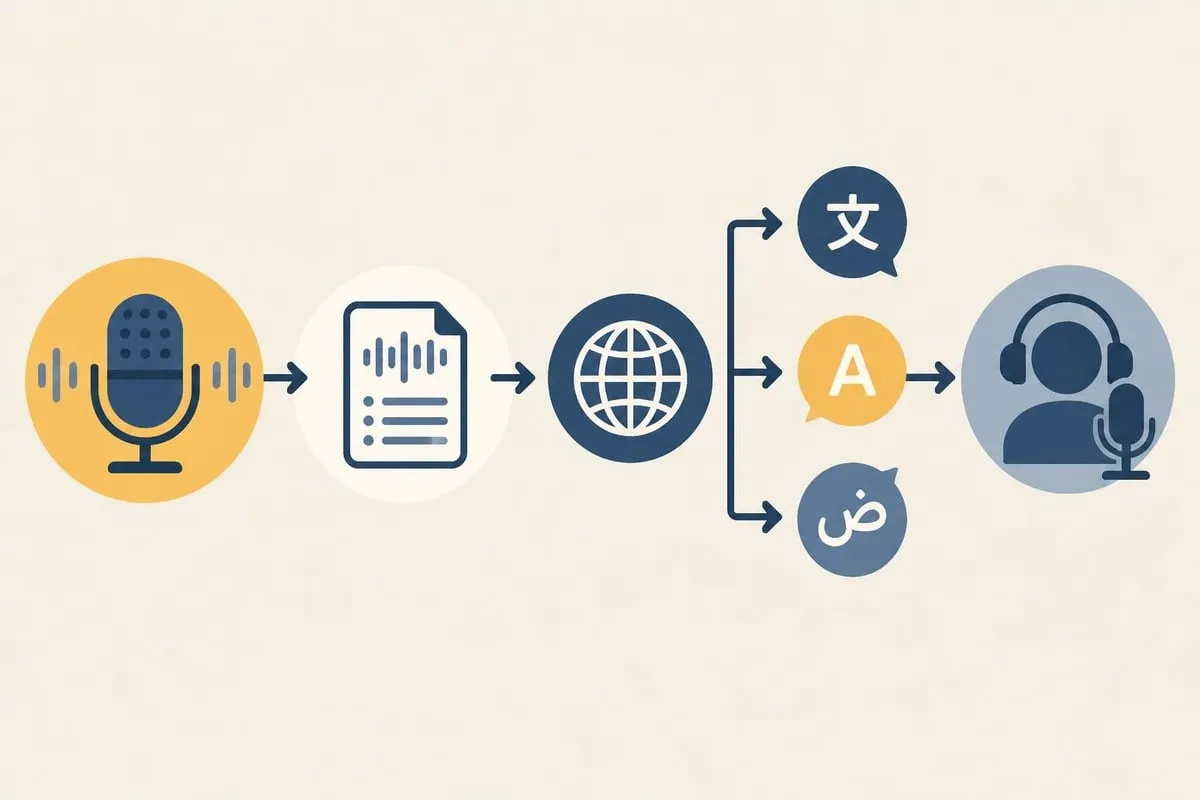
Transcribe in the original language first. That gives you one accurate source document instead of translating from a shaky draft and multiplying its errors down every branch. Hushscript covers roughly 99 spoken languages with automatic detection, and each translation target you add costs 25% of the recording duration on top of the transcription itself.
If your show code-switches, or your hosts are bilingual, check how your service handles a language change mid-episode. Some detect it; some want the audio segmented by language before it arrives.
A translation pass that holds up:
- Transcribe the original language and review it properly
- Translate into the target languages
- Have a native speaker read each translation for tone and idiom
- Publish the translations alongside the original transcript
Episodes that should not be public
Not every recording belongs in a permanent archive. Personal stories, client case studies, and off-the-record segments all argue for different handling than the weekly interview does.
Private mode is built for exactly that. Speech recognition still runs as a service, but nothing is saved to your account: the result arrives as a password-protected .husharchive you download, and it expires if you never do. On the normal path, the transcription audio copy is removed once the transcript is saved, stored transcript content is encrypted at rest, and you choose whether a transcript is kept until you delete it or auto-deleted after 7, 30, 90, or 365 days.
Podcast transcript export formats
What you can do with a transcript afterwards depends on what comes out of the box. Plain text is universal and loses everything around the words. Timed formats carry the timing. Structured formats carry all of the metadata.
| Format | Good for | Keeps metadata |
|---|---|---|
| TXT | Archives, pasting raw text | No |
| DOCX, PDF | Sharing with people who will not open a data file | Some |
| SRT, VTT | Captions and subtitles | Timing |
| JSON, XML | Feeding another tool | All of it |
| HTML | Publishing the transcript as a page | Structure and styling |
Hushscript exports 21 formats plus a password-protected archive, so picking one is a download rather than a conversion project. If you publish a video cut of the episode, adding subtitles to a video covers the timed-format path end to end.
If you feed transcripts into a summarizer, the input matters more than the summarizer does. Errors propagate: a garbled name in the transcript becomes a garbled name in every summary, quote card, and newsletter built on top of it.
How accurate does it need to be
For a published podcast transcript, the occasional wrong word is survivable, because context carries a reader over it. Content people act on, medical, legal, or financial, needs a tighter pass and a reviewer who knows the vocabulary well enough to catch a plausible substitution.
Measure rather than guess. Take a random five minutes, count the words, count the errors, divide one by the other. That number tells you whether your review pass deserves an hour or ten minutes, and whether your problem is the service or the microphone.
Which is the real point: accuracy is bought at the recording stage. No transcription service recovers words that were never clearly captured, and a better microphone in a quieter room does more for the transcript than switching vendors ever will.
Does it pay off
Track it rather than assuming. Watch page views on transcript pages, check whether episodes rank for the topics they cover, and ask listeners how they found you. Transcripts tend to earn traffic slowly and keep earning it long after an episode falls off the charts.
What to weigh:
- Time saved writing show notes and social posts
- Search traffic landing on transcript pages
- Accessibility, and the listeners it adds
- A searchable archive of your own back catalog
- Repurposing that starts from text instead of audio
The cost of transcription is a line item you see every month. The benefits are diffuse and arrive late, which is exactly why they are easy to under-count.
The workflow that survives contact with a weekly schedule is the boring one: clean audio in, machine draft, one focused review pass, a format that suits wherever the text is going. Hushscript handles the middle of that, with free speaker labels on every transcript, roughly 99 languages, uploads up to 10 hours, and prepaid minutes instead of a subscription. Drop an episode on the podcast transcription page and the first 5 minutes come back speaker-labeled before you create anything.
Independent sources and standards
Hushscript consulted these independent, non-competing references. They explain research, standards, or platform behavior and do not endorse Hushscript.
Sources reviewed: